




- Click here to access our website;
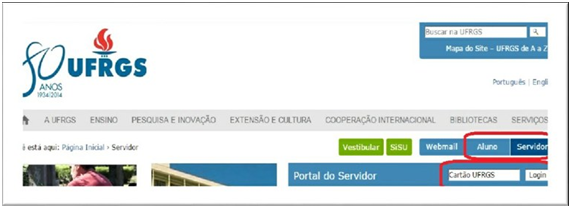
- Click on the “Student” link or the “Server” link, depending on your relationship with the University, enter your UFRGS card number and click on the “Login” button;
- On the new page displayed, click on “First access”;
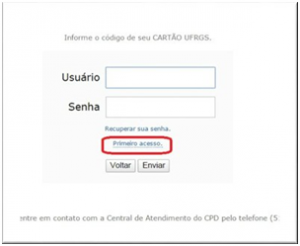
- From here, the system will request personal data such as telephone number and documents for confirmation. After this step, which includes confirmation via the email you provided when registering/starting, the system will ask you to register your password;
- With your password in hand, simply perform the Login on the home page by clicking on “Student” or “Server” and entering your card and password. This way you access the Services Portal, which contains the UFRGS digital services catalog.
Need help? Click here.

