napari-TRACE
Tracking Review And Correction Engine
napari-TRACE (Tracking Review And Correction Engine) is a napari-based desktop tool for reviewing and correcting automated cell-tracking results from time-lapse microscopy.
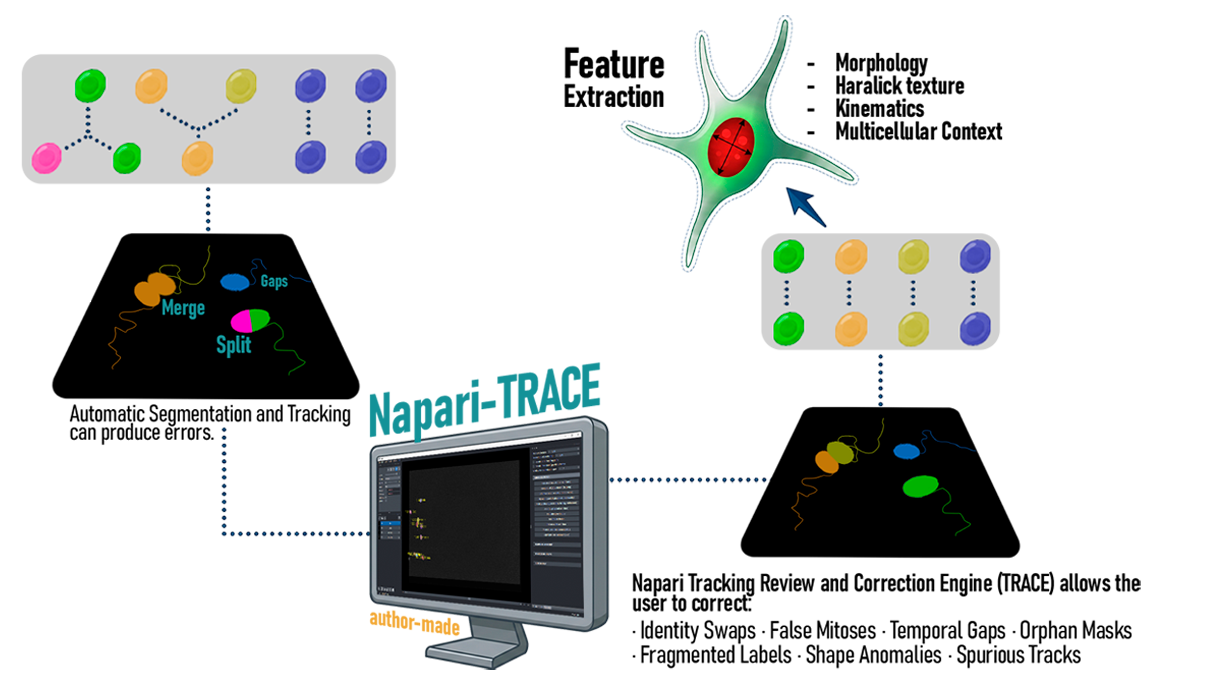
napari-TRACE provides an interactive environment for reviewing and correcting cell-tracking results.
From automated tracking to curated lineages
Follow these steps to install napari-TRACE and begin reviewing your tracking results.
Get the tool
Clone the repository from GitHub:
git clone https://github.com/labsinal/napari-TRACE.git
A working display is required; napari will not run headless.
Set up the environment
Create a conda environment with Python 3.10 or 3.11, activate it, and install the dependencies.
conda create -n curator python=3.11
pip install -r requirements.txt
Do not also conda install napari in the same environment.
Organize your inputs
Place three files from the same experiment in one folder, matching frame count and image size:
-
A tracking table
(
.csv/.txt— generic, TrackMate, or Cell Tracking Challengeres_track.txt) -
A segmentation mask
(
.tif) -
The raw movie
(
.tif)
Extra fluorescence channels, such as cleaved Caspase-3 or FUCCI, are optional.
Run
From the folder containing run_curator.py,
launch napari-TRACE with:
python run_curator.py /path/to/experiment_folder
Alternatively, run it without an argument to open a folder-picker.
The tool writes to a copy
(<experiment>_curated) and never
modifies your original files.
Cite
If you use this software, cite it via its Zenodo DOI
or the CITATION.cff file in the repository.
Get napari-TRACE
Access the source code and installation instructions.
Visit the GitHub Repository